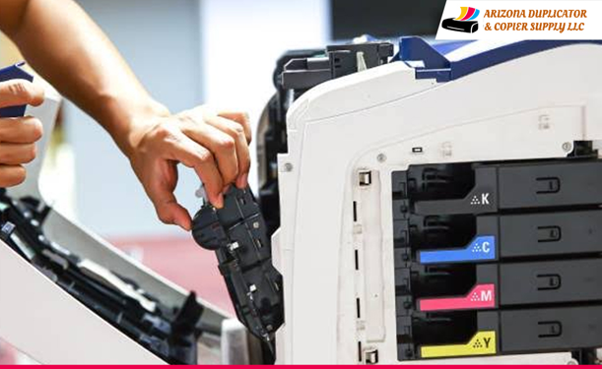
Summary: Professional printer repair helps businesses reduce printing delays by identifying recurring faults in printer parts, software, and network connections. Learn how technicians diagnose common issues, prevent repeat breakdowns, and improve print reliability. The blog also explains routine maintenance, warning signs, and how to decide between repair and replacement. Arizona Duplicator & Copier Supply, LLC helps businesses find suitable printer repair support.
A printer that fails during payroll, invoice processing, or a customer order can bring important office tasks to a halt. The problem often goes beyond a paper jam or an empty toner cartridge. Repeated failures can point to worn parts, print queue errors, poor network communication, or a machine that no longer meets the office’s workload. Professional printer repair Arizona services help businesses find these underlying faults, restore reliable output, and make better decisions about equipment care.
Why Does the Same Printer Problem Keep Coming Back?
Restarting a printer can clear a temporary error, but it will not fix every fault. A worn pickup roller, for example, may cause paper feed errors even after the tray is reloaded. A damaged fuser in a laser printer can lead to poor toner bonding, leaving marks on documents. A faulty driver or print queue can also send jobs to the wrong device or leave them waiting.
These problems need different solutions. A technician checks the error history, tests the affected functions, and inspects the parts linked to the fault. This process helps identify the actual cause instead of relying on repeated resets.
For businesses seeking printer repair, a clear diagnosis can reduce unnecessary part changes and help prevent the same fault from interrupting work again.
What Happens to Office Productivity During a Printer Failure?
A printer outage can affect several teams at once. Accounts staff may be unable to print invoices. Payroll teams may face delays with employee records. Front desk staff may struggle to prepare forms for visitors or customers.
The cost of a breakdown also includes staff time spent troubleshooting, sending jobs to another machine, and reprinting damaged pages. These small delays can add up during busy periods.
Professional printer repair helps restore the functions employees need most. A technician can also assess whether the device can handle the office’s normal print volume. This is useful for businesses that rely on daily reports, shipping documents, financial records, or large batches of paperwork.
Which Printer Components Need More Than a Quick Fix?
Different faults leave different clues. Knowing the source helps businesses choose the right service.
| Printer component | Common warning sign | What a technician checks |
| Pickup rollers | Paper fails to feed or jams often | Roller wear, paper path, and feed alignment |
| Printhead | Missing lines or uneven ink output | Nozzle condition, ink flow, and printhead function |
| Fuser unit | Toner smears or rubs off pages | Heat, pressure, and toner bonding |
| Transfer system | Uneven images or repeated marks | Transfer components and image formation |
| Network or driver setup | Jobs stall or fail to print | Device settings, connection, and print queue |
Inkjet and laser printers use different printing systems, so the repair process depends on the machine type. Replacing a part without confirming the fault can waste time and supplies. Professional printer repair starts with testing, followed by a repair that fits the device and its condition.
How Can Businesses Prevent Repeat Printing Delays?
A practical service plan begins with the way the printer is used. A small office that prints a few pages each day has different needs from an accounts department that handles hundreds of documents.
Businesses can reduce avoidable problems by following a few steps:
- Track recurring errors: Record error messages and note how often the fault occurs.
- Use suitable supplies: Follow the printer maker’s guidance for paper, ink, and toner.
- Keep the paper path clean: Dust and paper scraps can affect feeding and print quality.
- Update drivers carefully: Confirm that software supports the printer model and operating system.
- Schedule service based on usage: High volume and frequent faults can call for more regular inspections.
These steps do not replace repairs. They give technicians useful information and help staff spot changes in performance early. Staff should also report unusual noises, repeated shutdowns, or sudden changes in print quality. Sharing these details helps the technician understand the problem and test the right parts.
Repair or Replace: How Should You Decide?
Repair is often worth considering if the printer has a clear fault, replacement parts are available, and the machine still meets business needs. Replacement may make more sense if breakdowns are frequent, parts are hard to source, or the device cannot support current workloads.
A technician can explain the fault, the parts involved, and the likely result of repair. This gives business owners a sound basis for deciding what to do next. The aim is to restore useful service without spending money on fixes that do not address the real problem.
Businesses should also consider the printer’s age, print volume, and support needs. A machine that works well after one repair may remain useful for years. A device that fails often may need a different plan. Reviewing these points helps owners make a choice based on daily needs rather than one breakdown alone.
Wrap Up:
At Arizona Duplicator & Copier Supply, LLC, our team helps businesses address recurring printer problems and maintain dependable office equipment. As an office equipment supply company in Phoenix, we support businesses that need clear fault diagnosis, suitable repairs, and practical guidance on keeping their machines in service. Our approach focuses on the cause of the problem, the condition of the equipment, and the printing needs of your team.
Contact Arizona Duplicator & Copier Supply, LLC to discuss your printer issues and find the right repair support for your office. A proper diagnosis can help reduce repeat failures and keep important work moving.
FAQs:
- What are the common signs that a printer needs professional repair?
Frequent paper jams, faded prints, repeated error messages, unusual noises, and stalled print jobs can signal faults that need professional inspection.
- How can professional printer repair reduce office delays?
Professional repair identifies the cause of recurring faults, restores key printer functions, and helps staff avoid repeated troubleshooting and wasted printing time.
- Can regular printer maintenance prevent repeated breakdowns?
Yes. Cleaning, checking worn parts, using suitable supplies, and arranging service based on print volume can help reduce avoidable printer problems.
- Should a business repair or replace a faulty printer?
Consider repair costs, printer age, parts availability, breakdown frequency, and workload. A technician can assess the machine and explain suitable options.
- Where can businesses get printer repair services in Phoenix?
Businesses can contact Arizona Duplicator & Copier Supply, LLC to discuss printer faults, arrange suitable repair support, and improve office printing reliability.
